Using the App
Detailed instructions for using the app are provided below. For the minimal usage, please refer to the Quickstart. For definitions of scattering angles, and momentum transfer HKL, see the Appendix.
Initialization window
Enter lattice constants (a, b, c) and angles (α, β, γ). (Optionally) You can also drop in a CIF file to auto-fill lattice parameters and preview the unit cell.
Enter beam energy (eV); wavelength (λ) and wave vector magnitude (|k|) update automatically.
Euler angles (roll, pitch, yaw) update the orientation of the lattice/sample relative to the goniometer.
Click Initialize to pass parameters to all tabs and open the main interface.
Import Orientation from Diffraction Tests: If you have diffraction test data (known HKL values with measured angles), you can automatically determine the Euler angles:
Click Import from Diffraction Test in the Euler Angles panel.
Enter your diffraction measurements (H, K, L, energy, 2θ, θ, φ, χ) in the table.
Click Calculate Orientation to find the optimal Euler angles that fit your data.
Click Apply and Close to populate the roll, pitch, yaw fields.
The algorithm uses least-squares optimization with multiple random restarts to find the best orientation that minimizes the difference between calculated and measured HKL values.

Main interface
Tabs on the left host each feature. The status bar shows feedback; the toolbar includes a reset shortcut to return to init window.
1. Scattering Geometry tab
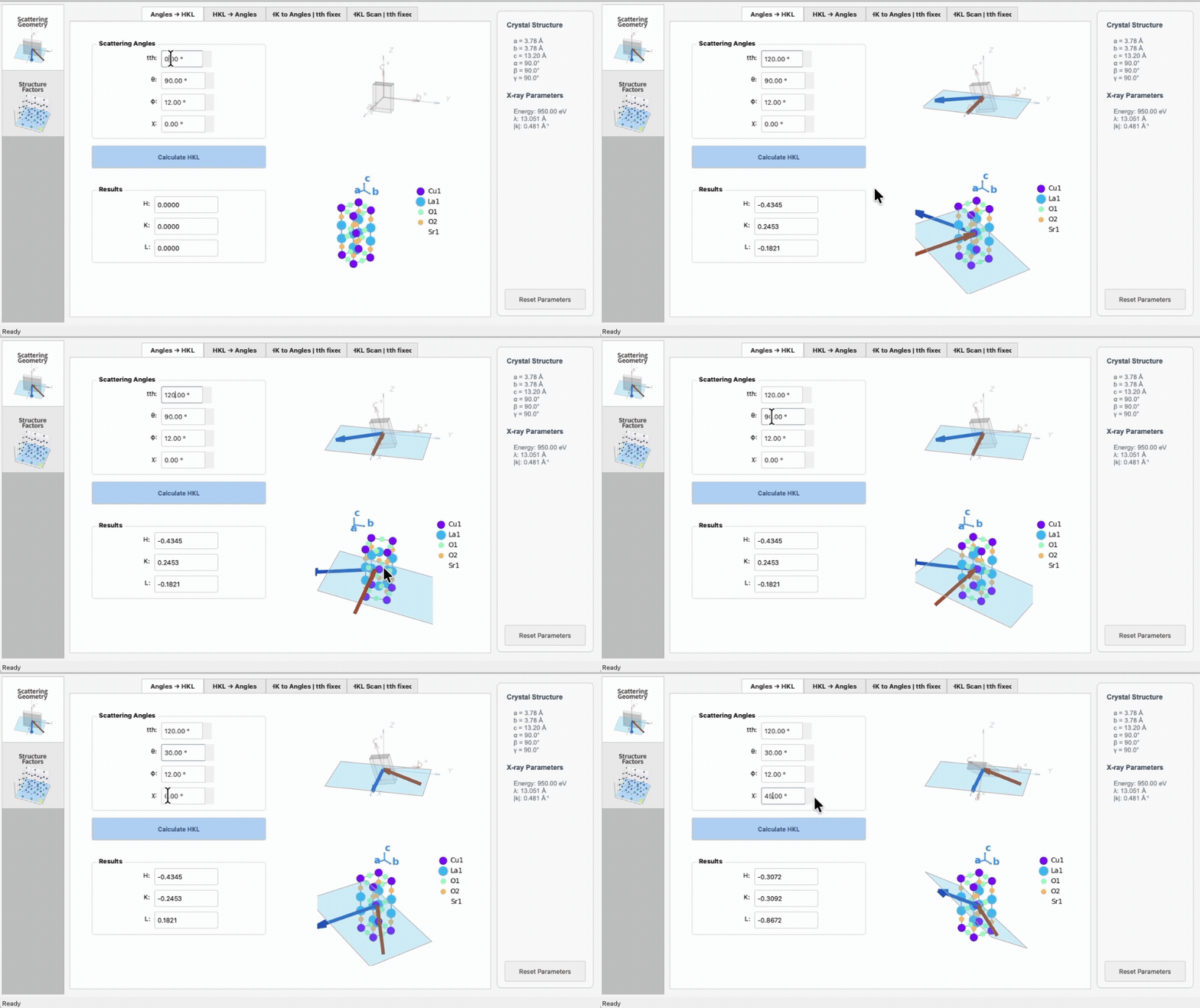
This tab converts scattering angles to momentum transfer in reciprocal space and vice versa, and visualize the scattering geometry.
Scattering angles and momentum transfer HKL: See the Appendix for definitions; the tab provides visuals while you enter them.
Functionalities:
subtab Angles → HKL: enter scattering geometry angles (tth, θ, χ, φ), compute (H,K,L) in reciprocal lattice units.
subtab HKL → Angles: enter (H,K,L) in reciprocal lattice units, compute scattering geometry angles (tth, θ, χ, φ).
subtab HK to Angles | tth fixed: enter (H,K) and a fixed tth, compute (θ, χ, φ).
subtab HKL scan | tth fixed: enter a list of (H,K) and a fixed tth, compute (θ, χ, φ).
2. Structure Factor tab
Requires a CIF (from the init window) and an energy input in the tab.
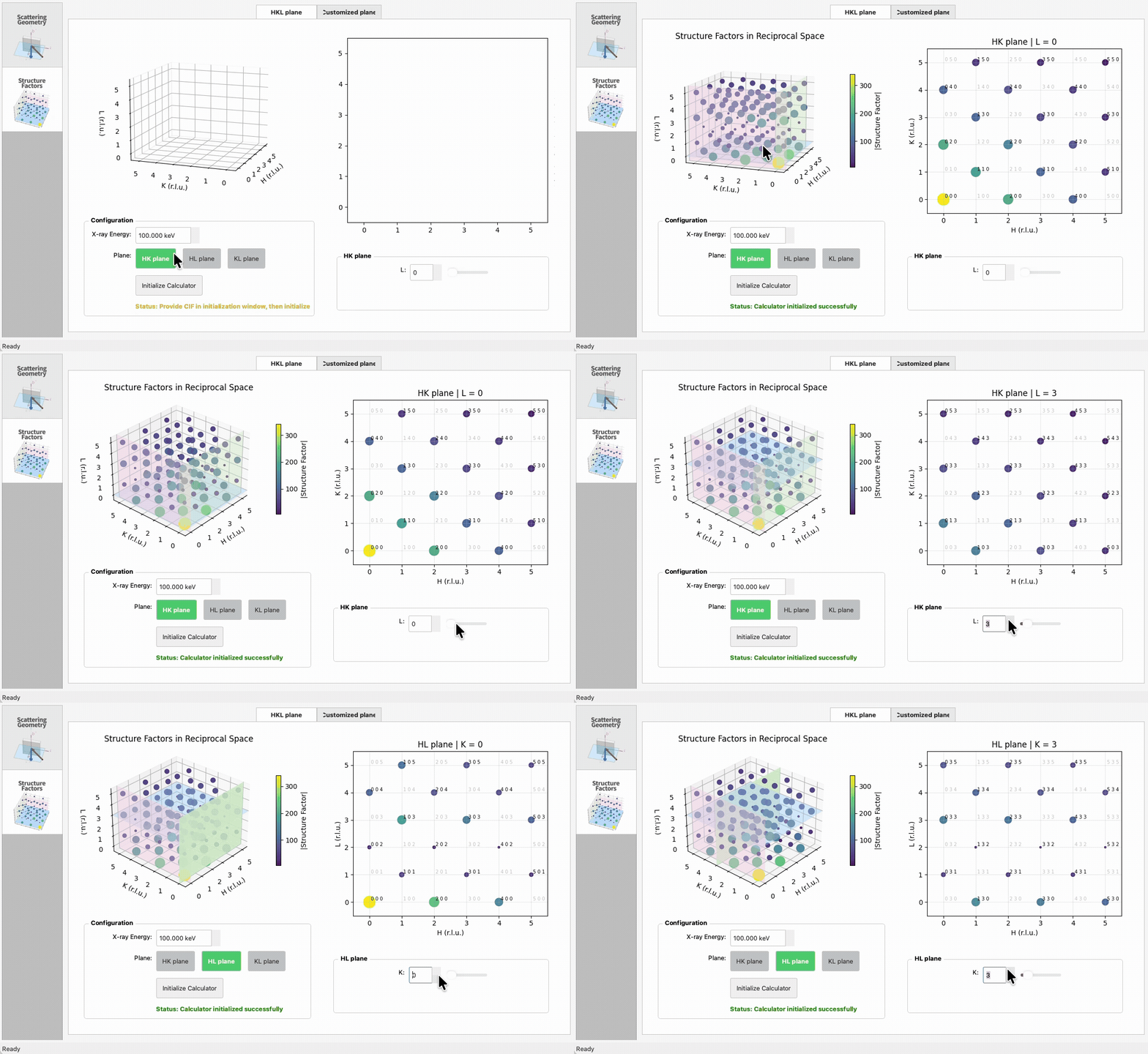
subtab HKL plane: initialize, then view a 3D HKL cube with translucent planes and corresponding 2D slices (HK/HL/KL). Structure factors for each integer HKL are visualized in the 3D and 2D plots.
subtab Customized plane: pick arbitrary plane values and visualize structure factors on that slice. See the Appendix for definitions of the plane values.
Resetting
Use the toolbar button or File → Reset Parameters to go back to the init window, clear the CIF lock, and re-enter parameters.